What refurbished actually means: a buyer checklist
Refurbished is a spectrum, not a label. Here is what separates a properly reconditioned PC from a wiped box with a fresh sticker, and how to tell the difference before you pay.
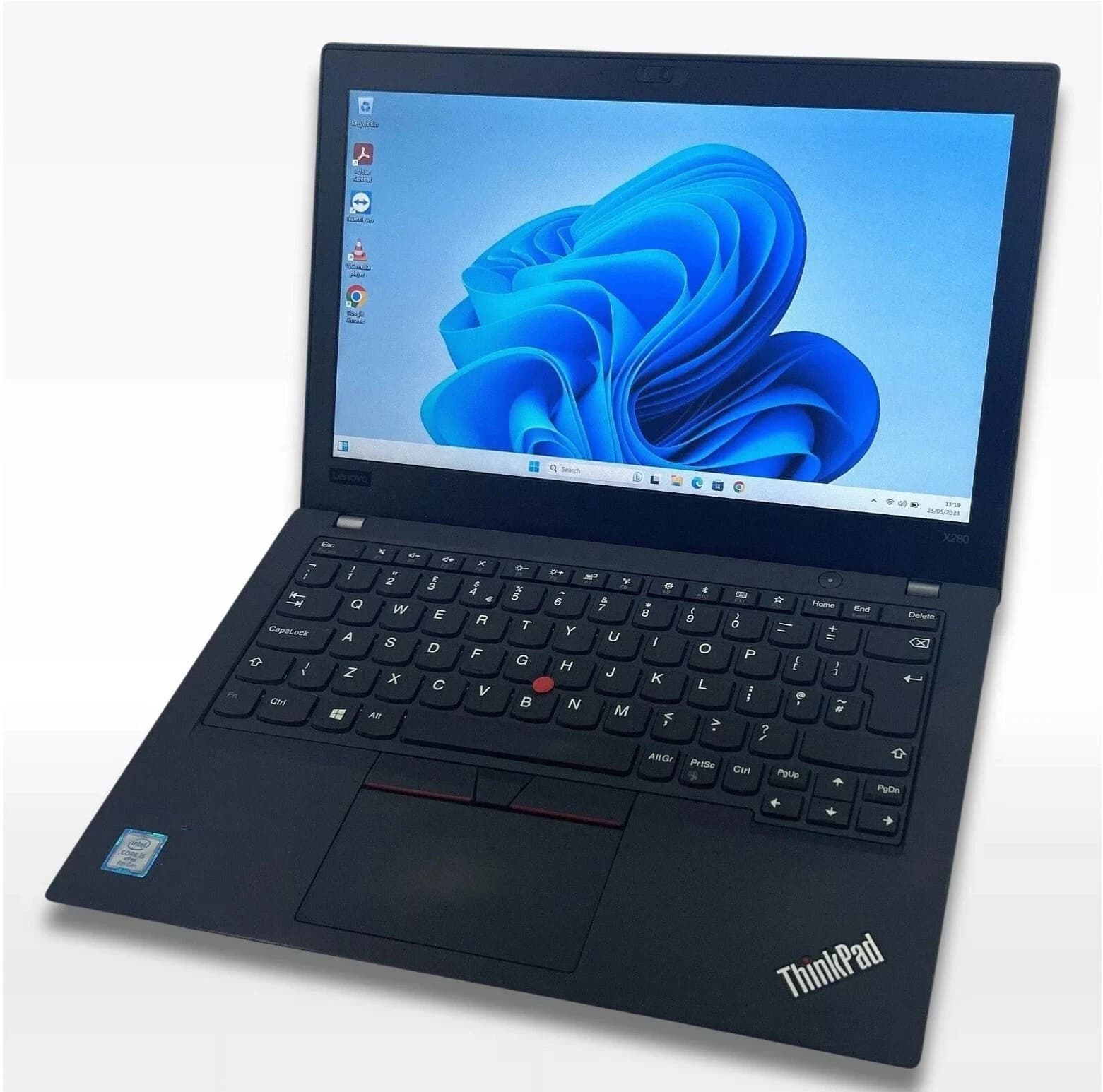
The word "refurbished" carries no legal weight in the UK. A sole trader can boot a laptop, run a Windows reset, print a listing, and call the result refurbished. A specialist workshop can strip the same laptop, replace the battery, repaste the CPU, and reactivate the licence, and call the result refurbished. Both use the same word. Buyers often pay the price of the second and receive the first. This guide sets out what a proper programme involves, how the industry grades cosmetic condition, and the red flags that separate a specialist from someone shifting stock.
Grade A, B and C explained from the reseller side
Grades describe cosmetic condition, not functional condition. A Grade C chassis can house a healthy motherboard, and a Grade A chassis can hide a swollen battery or a failing SSD. The grade tells you how the machine looks. The refurbishment programme tells you how it works.
Grade A means near mint. No scratches visible at arm's length, no dents, no worn keys, no scuffed palm rest. Screen clean under a torch test. Grade A stock typically comes from short corporate leases returned early or from cancelled orders.
Grade B means light cosmetic wear. Fine scratches on the lid, minor shine on the most-used keys such as WASD or the space bar. Nothing that affects use. This is where most three-year corporate returns land, and where the best value sits.
Grade C means visible wear. Dents on a corner, deeper scratches across the lid, worn key legends. The machine is honest about its history. Grade C stock, when the internal work is done properly, runs identically to Grade A stock of the same specification.
Some resellers add a Grade D tier for units with cracked bezels or missing keys. These are spares, not refurbished stock.
What a qualified refurbisher actually does
A serious workshop follows a fixed sequence on every unit. Skipping steps on a batch of fifty machines is how bad stock reaches buyers.
- Full data wipe to NIST 800-88 or equivalent. Not a Windows reset. A dedicated erasure pass on the storage device, logged against the drive serial.
- Hardware diagnostics. Memory test, storage SMART read, CPU and GPU stress under load, display uniformity check, keyboard matrix test, every USB, HDMI, DisplayPort and audio jack verified, webcam, microphone, Wi-Fi and Bluetooth checked.
- Battery health test on laptops. Full charge cycle logged. Any cell below 80 percent of design capacity is replaced.
- Thermal paste replacement. Factory paste scraped, die cleaned with isopropyl alcohol, fresh paste applied. On machines older than three years this often drops sustained load temperatures by 8 to 15 degrees celsius.
- Chassis clean. Fans blown out, heatsink fins cleared, keyboard debris removed, vents inspected.
- Windows licence reactivation. Clean Windows 11 Pro install tied to the digital licence in motherboard firmware, drivers from the manufacturer, BIOS updated.
Red flags in a refurb listing
Some signals reliably mark stock that has not been properly reconditioned. None of them prove a bad seller on their own. Two or three together should end the conversation.
- No battery health figure quoted on a laptop. A shop that tests batteries will say so, in a percentage or cycle count.
- Stock photos only. A specialist photographs the actual unit because the cosmetic grade is being sold.
- No warranty length stated in the listing. "Fully tested" is not a warranty, and fourteen days is not either.
- Windows Home on business-class hardware. A ThinkPad T-series or an EliteBook shipped with Windows Pro. A Home reinstall usually means the licence was lost during a rushed reset.
- A price that undercuts the market by 30 percent or more. Refurbishment costs labour. A £180 listing on a machine trading at £320 elsewhere is a shortcut, not a bargain.
- Vague spec language. "8th gen or newer" and "256GB or higher" mean the seller does not know what is in the box.
The three components that decide a laptop's next five years
On any laptop older than eighteen months, three components decide whether the machine will still be useful in 2031. Battery, thermal paste, and storage.
Battery cells degrade whether the machine is used or not. A Dell Latitude that sat on a shelf for two years has a worse battery than one used lightly for two. Design capacity is written into the battery firmware and readable in seconds. No excuse for not testing it.
Thermal paste dries out. On a five-year-old business laptop the paste is often a chalky film that transfers almost no heat. Sustained CPU performance falls by 20 to 40 percent as the chip throttles. A £2 syringe of Arctic MX-6 and twenty minutes of labour restores factory thermal behaviour.
Storage is the cheapest fix and the most commonly skipped. A 256GB SATA SSD from 2018 with 45,000 power-on hours is not a drive you want to depend on. A new 512GB NVMe drive typically costs the refurbisher £22 and adds visible speed to every boot and application launch.
The BAV process reference
Every laptop, desktop and small form factor unit that leaves the Bromsgrove workshop passes through the same checklist. Data wipe. Hardware diagnostics logged against serial. Battery health above 80 percent or replaced. Fresh thermal paste. Chassis clean inside and out. Windows 11 Pro reinstalled and reactivated. BIOS updated. Twelve month warranty attached to the order. Cosmetic grade stated honestly.
Frequently asked questions
Is refurbished the same as used?
No. Used means previously owned and sold on with no work done. Refurbished means a workshop process has been applied. In practice the word is abused, which is why the checklist above matters more than the label.
How long should a refurbished laptop last?
A properly reconditioned business laptop from 2020 or 2021 should give another four to five years of daily use. Battery replacement may be needed once in that time. ThinkPad, Latitude and EliteBook chassis are built to a longer service life than consumer stock.
Is a refurbished PC safe to buy for work data?
Yes, provided the seller performs a certified data wipe on the previous owner's storage. A Windows reset is not a certified wipe. A NIST 800-88 pass, or equivalent from a tool such as Blancco, is. Ask for written confirmation.
Do refurbished units come with Windows licences?
Business-class machines carry a digital licence in motherboard firmware that reactivates automatically on Windows 11 Pro reinstall. Consumer machines vary. Any legitimate reseller will supply the unit with an activated Windows install and confirm the edition in the listing.
What warranty should a refurbished PC carry?
Twelve months is the standard a serious specialist offers. Anything shorter than 90 days indicates the seller is not confident in the diagnostics performed. Warranties should attach to the serial number of the unit shipped, not to a generic reseller policy.
About Birmingham AV
Birmingham AV has sold over 87,000 items with 24,756 buyer feedbacks at 98.9 percent positive. We are Companies House registered 12383651, VAT registered GB 348755066, and based in Bromsgrove, Worcestershire. Every laptop, desktop and small form factor unit ships with a full twelve month warranty and the workshop checklist described above, logged against the serial number of the machine you receive.