Intel i7 14th gen SFF desktops: the home office buyer guide
A specialist's guide to picking an Intel Core i7 14th gen small form factor desktop for a UK home office, with real numbers and a like for like comparison against Dell and Lenovo at retail.
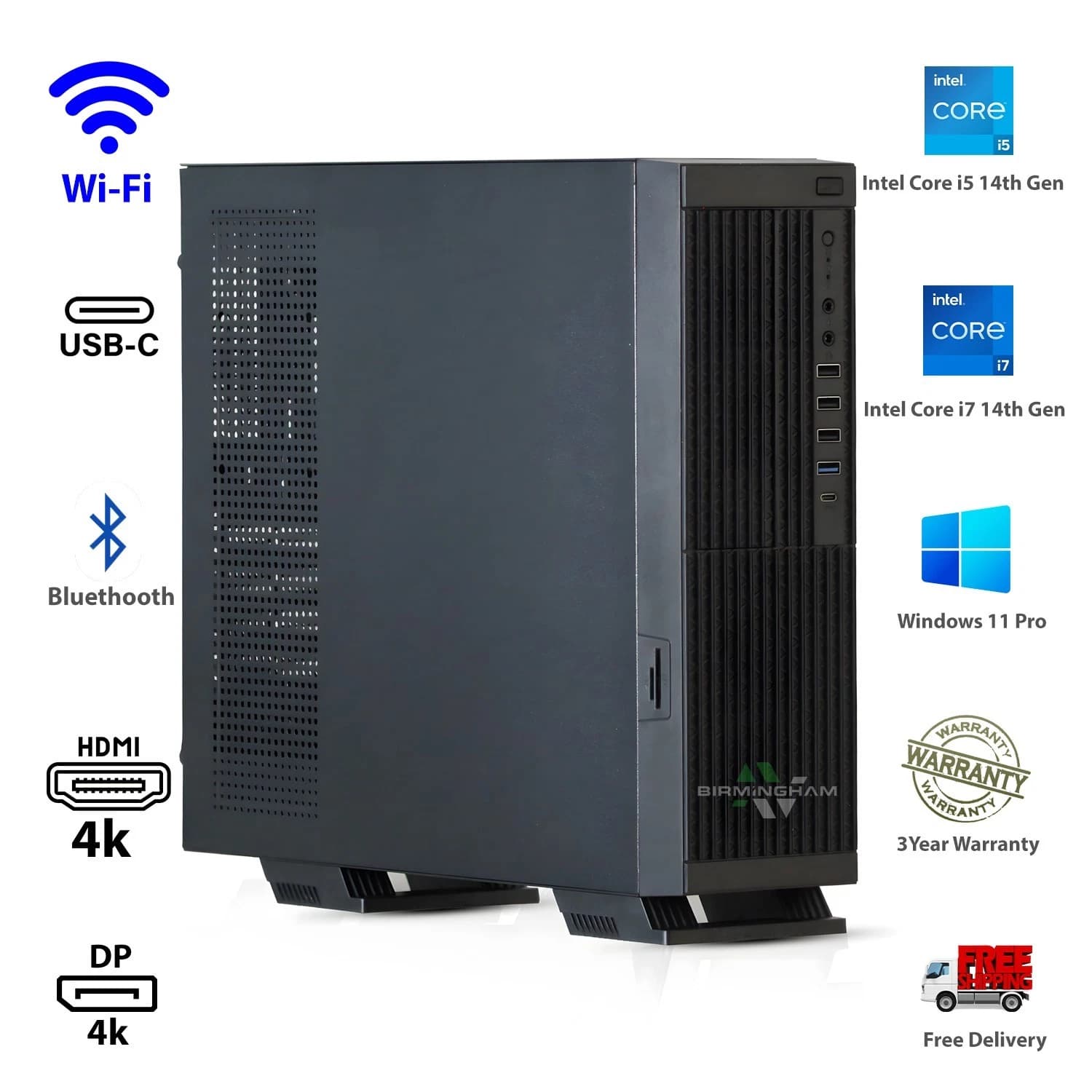
The Intel Core i7 14700 sits in an odd place in 2026: old enough to be affordable, new enough to still ship at high street prices, powerful enough that most home office workloads never load it past 40 per cent. In a small form factor chassis it is the most sensible desk companion Intel has shipped in years.
This guide is for a specific reader: you work from home, want a proper desktop, and would rather not pay £799 for what you can get properly refurbished for less than half that.
What the i7 14700 actually is
The i7 14700 is a 20 core chip: 8 performance, 12 efficient, 28 threads total. Base power is 65 W on the non-K with maximum turbo around 219 W. The 14700K pulls up to 253 W, which matters for a workstation but is a problem in a small chassis.
For a home office box the non-K is the right choice nine times out of ten. Cinebench R23 multi core lands in the 30,000 to 33,000 range depending on cooling; single core sits around 2,050. Faster than a Ryzen 7 7700 for compiled code and Excel, and it holds that lead against parts costing twice as much used.
At idle, the E cores handle everything and the P cores stay parked. Wall power on a browsing session with a 1440p monitor sits around 25 to 35 W, the same as a mini PC, from a chip that will destroy the mini PC when you need it.
Why small form factor wins on a desk
A tower is the default answer, and for a home office it is the wrong one. A standard mid tower occupies roughly 45 litres; a proper SFF is closer to 8 to 10 litres.
Cabling is shorter because the machine sits on the desk. Noise is lower because the fan curve is tuned for a chassis that never sees a 250 W GPU. And heat output into the room is genuinely lower over a working day, which matters in a UK summer with a south facing office and no air conditioning.
The trade off is real: no full length PCIe slots, so a gaming GPU is not going in. For a box used for browsers, Office, Teams, light Photoshop, and the occasional Steam session on integrated graphics, none of that matters.
DDR5 versus DDR4 in 2026
The 14th gen platform supports both, depending on the motherboard. In mid 2026 a 32 GB DDR5 5600 kit and a 32 GB DDR4 3200 kit are within £15 of each other at UK retail.
The practical difference for a home office is smaller than YouTube would have you believe. Browser tab switching, Excel recalcs, and Teams calls do not care. Productivity benchmarks show 3 to 7 per cent in favour of DDR5, closer to 10 per cent under heavy virtual machines.
Where DDR5 matters more is future proofing. Any 15th gen or Arrow Lake successor keeps DDR5 as the standard, so a DDR4 board is a dead end for upgrades. If the machine will live on your desk for four or five years, DDR5 is the right pick.
Thermals and noise
The 14700 in a small chassis is a thermal problem. Dell's OptiPlex 7020 SFF uses a blower cooler ducted to the rear exhaust: effective, but audible in a quiet room above 70 degrees. Lenovo's M90q Gen 5 uses a laptop grade fan: quieter, but throttles the CPU harder under sustained load.
The BAV tested unit uses a reworked cooling loop with a taller heatsink and a slower, larger fan. Idle sits around 34 to 38 degrees in a 22 degree room. A ten minute Cinebench R23 run stabilises at 82 degrees with the fan at 1,400 RPM, measured at 32 dB from one metre.
Buy the tested unit
The exact unit these results came from is on eBay now, with a twelve month warranty.
Buy the tested BAV i7 14th gen SFF on eBay
Like for like against Dell and Lenovo at £799
A new Dell OptiPlex 7020 SFF with i7 14700, 16 GB DDR5, and 512 GB NVMe sits at £799 on Dell UK. The Lenovo ThinkCentre M90q Gen 5 in a similar spec is £789. Both include a one year on site warranty.
The BAV tested unit is an i7 14700 SFF with 32 GB DDR5, a 1 TB NVMe drive, Windows 11 Pro activated, and a twelve month return to base warranty. Listing price is well under half the OEMs.
Three differences matter. Memory: 32 GB standard where the OEMs charge extra. Storage: 1 TB versus 512 GB. Licensing: Windows 11 Pro, which matters for BitLocker, Remote Desktop hosting, and joining a domain. What the OEMs add is an on site engineer visit if something breaks. Whether that is worth an extra £450 depends on how you value response time.
Who should not buy an SFF i7 14700
Video editors on 4K DaVinci Resolve or Premiere timelines want a proper GPU. Anyone running local LLM inference on 20 billion plus parameter models needs a 24 GB VRAM card, which does not fit. Serious CAD users on SolidWorks assemblies past 5,000 parts want a professional GPU. For everyone else, the i7 14700 SFF is the right shape of machine at the right price.
Frequently asked questions
Does the i7 14700 have the instability issues Intel had in 2024?
The instability affected 13th and 14th gen K and KF parts running stock voltages that were too aggressive. Intel issued microcode updates in late 2024 that resolved it for units not already degraded. The non-K 14700 was never affected because it runs at lower voltages by design. Any refurbished unit sold in 2026 will have current microcode.
Can I add a graphics card to a Dell OptiPlex 7020 SFF?
You can add a low profile, single slot card up to about 75 W from the PCIe slot: an RTX A2000, an Intel Arc A380 low profile, or a used Quadro T1000. Nothing longer than 200 mm fits, and nothing needing supplementary power without a PSU swap.
How does integrated UHD 770 graphics handle a triple monitor setup?
Fine, provided you are not gaming across all three. UHD 770 drives three 4K displays at 60 Hz over DisplayPort and HDMI without dropping frames on the desktop. Video playback across all three works cleanly.
Is 32 GB of RAM overkill in 2026?
For a home office, no. Chrome and Edge in 2026 consume 8 to 12 GB with a working set of tabs. Teams and Slack sit at 2 GB. Add Windows and a background Docker container and you are at 20 GB before opening Excel. 16 GB will feel tight within two years.
What is the difference between refurbished and used?
Refurbished, done properly, means every unit is tested, cleaned, wiped to NIST 800-88, reimaged with a fresh Windows install, and has any failing components replaced. Used simply means somebody sold it on. Birmingham AV refurbishes to a documented process.
About Birmingham AV
We are a Bromsgrove specialist in refurbished laptops and desktops, based in Worcestershire. Companies House 12383651, VAT GB 348755066. Across our eBay presence we have sold 87,000 items with 24,756 buyer feedbacks at 98.9 per cent positive. Every unit ships with a twelve month return to base warranty; if it fails within that period we cover the return leg and either repair or replace it.