Best refurbished mini PC for a home server or Plex box in 2026
A quiet 1L box that idles under 10W and transcodes 4K without breaking a sweat. Here is how the Lenovo Tiny, HP EliteDesk Mini and Dell OptiPlex Micro compare, and which one earns the shelf space.
The dedicated NAS market has spent five years drifting upmarket. A four bay unit with a modern Intel chip now runs past £600 before you slot in a single drive. Meanwhile, corporate refresh cycles have pushed a wave of 1 litre business PCs onto the second hand market at £120 to £250, complete with quiet fans, Intel Quick Sync silicon that eats video transcodes for breakfast, and idle draw low enough to leave running 24/7 without wincing at the electricity bill.
If the goal is a home server that runs Plex, Sonarr and Radarr, plus a handful of Docker containers, a refurbished business tiny PC is the pragmatic answer in 2026. This piece walks through the three that matter, the specs that actually change your experience, and the specific unit currently on the bench at Birmingham AV.
The three contenders
Three ranges dominate the used market. Lenovo ThinkCentre M700 and M900 Tiny. HP EliteDesk 800 G3 and G4 Mini. Dell OptiPlex 3050, 5050 and 7050 Micro. All three share the same underlying formula: a 65W desktop grade Intel chip in a chassis roughly the size of a hardback novel, with a laptop style cooling stack, one 2.5 inch drive bay, one M.2 slot, and two DDR4 SODIMM slots.
The generation matters more than the badge. Anything from the 6th generation Intel Core family onwards ships with the version of Quick Sync that handles H.264 and HEVC in hardware. That single feature is what turns a £150 refurb into a viable Plex server, because it means a single 4K HEVC transcode uses roughly 3 to 5 percent of the CPU instead of pinning every core.
Power draw is where refurbs win
A modern QNAP or Synology four bay sits around 15 to 25W at idle before drives spin up. A Lenovo M900 Tiny with a 6500T at idle, running Proxmox with Plex and the arr stack, measures 7 to 9W at the wall. Push a single 4K HEVC to 1080p transcode through Quick Sync and it climbs to around 22 to 28W. A full CPU software transcode, which you should never actually need if the library is tagged correctly, tops out near 45W.
Over a year, running 24/7 at UK electricity rates around 27p per kWh, the tiny PC costs roughly £20 to £25 in power. A comparable NAS with drives spinning is closer to £55 to £70. That gap alone recovers the price of the unit inside 18 months.
Hardware transcoding, the honest version
Plex Pass is required to actually enable hardware transcoding, and it is worth every penny for a media server. Once enabled, the Intel iGPU on any 6th generation or newer chip will handle:
- Multiple simultaneous 1080p transcodes without breaking a sweat, typically four to six streams.
- 4K HEVC 10 bit to 1080p, which is the workload that stops cheaper ARM boards dead.
- Tone mapping from HDR to SDR, which older Quick Sync generations could not do at all.
The 7th generation chips in the EliteDesk 800 G3 and OptiPlex 7050 add proper VP9 decode. The 8th generation in the G4 adds a stronger media engine but rarely justifies the price premium on the used market. For a Plex box, 7th generation is the sweet spot.
Footprint and noise
All three chassis land within a few millimetres of each other. The Lenovo Tiny is 179 by 183 by 34 mm. The HP EliteDesk Mini is 177 by 175 by 34 mm. The Dell OptiPlex Micro is 178 by 178 by 36 mm. Any of them will sit on a bookshelf, behind a monitor with a VESA bracket, or in the corner of a home office without announcing itself.
Noise is where the HP tends to pull ahead. The EliteDesk 800 G3 Mini uses a slightly larger heatsink and a fan curve that keeps the unit inaudible below 60 percent CPU load. The Lenovo runs a fraction louder under the same workload. The Dell sits between them but ships with a fan profile that ramps more aggressively out of the box, which is fixable in BIOS but worth knowing.
Plex plus Sonarr plus Radarr on one box
The classic self hosted media stack is Plex for playback, Sonarr for TV, Radarr for films, Prowlarr for indexer management, and either qBittorrent or SABnzbd for the actual downloads. All of it runs comfortably on a quad core i5 with 16GB of RAM and a 500GB SSD, with plenty of headroom for Jellyfin, Immich, Home Assistant, or a Minecraft server as ambitions grow.
The one addition worth planning for is external storage. A 1L tiny PC will not hold a media library on its internal drive. Most builds pair the unit with a USB 3 enclosure holding two or four 8TB drives, or a repurposed old desktop tower connected over the network. Either works. Neither costs anywhere near a proper NAS.
Why business tiny PCs beat NAS boxes at this price point
A £250 four bay NAS gives you a low power ARM chip that cannot hardware transcode 4K, 2GB of RAM soldered to the board, and a proprietary OS that limits what you can install. A £180 refurbished EliteDesk 800 G3 Mini gives you a 7th generation Intel i5, 16GB of upgradeable RAM, an NVMe slot, Quick Sync silicon, and the freedom to run Proxmox, TrueNAS Scale, Unraid, or plain Debian.
The trade off is drive bays. If a redundant multi drive array in a single box is non negotiable, buy the NAS. If the media library lives on a single large drive with occasional backups to a second, the tiny PC wins on price, power, performance and flexibility.
The Birmingham AV recommendation
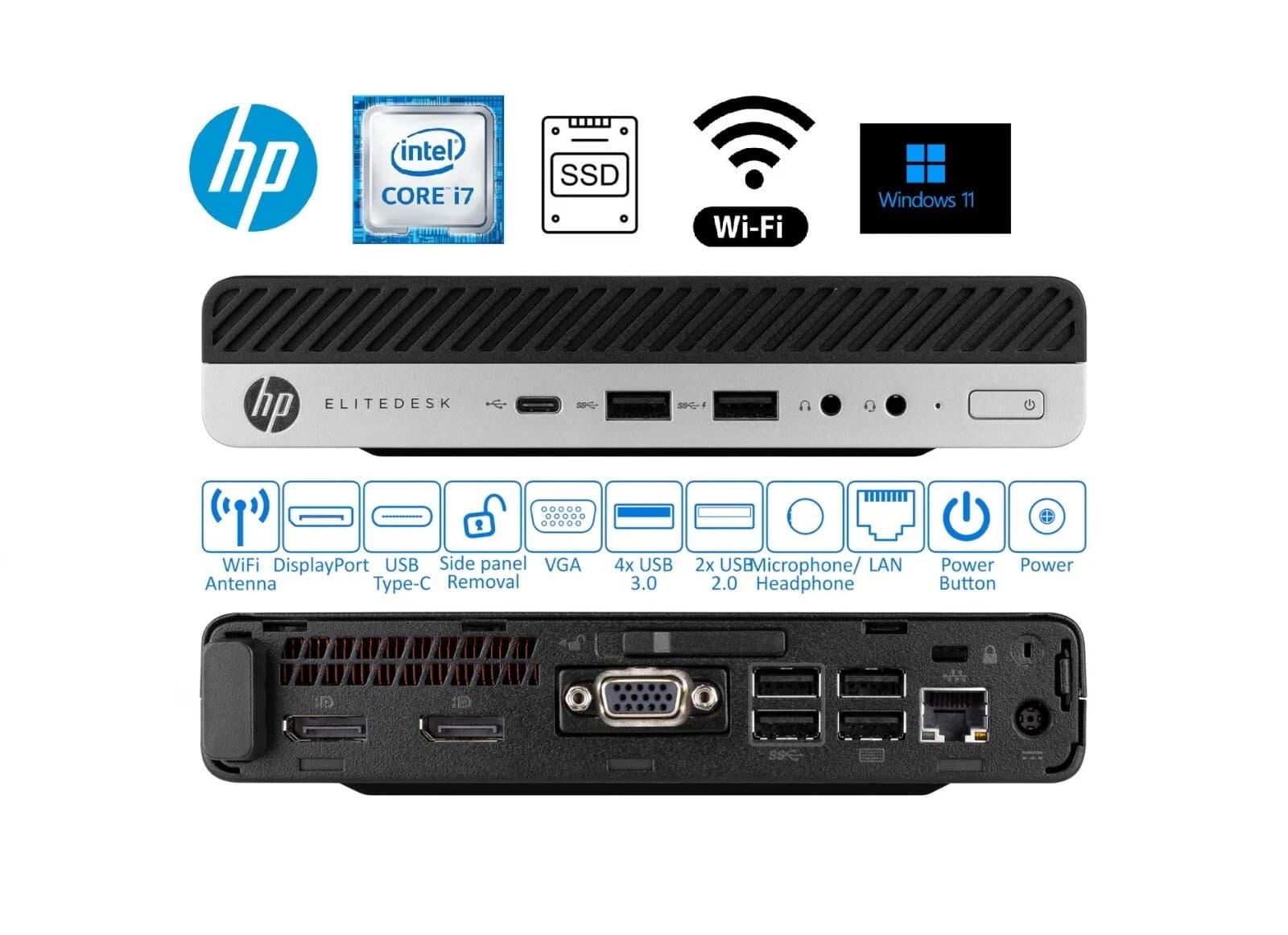
The current pick on the bench is the HP EliteDesk 800 G3 Mini. Listings ship with Intel Core i5 or i7 7th generation options, 8GB or 16GB of DDR4, and a 256GB or 512GB SSD, all configurable at checkout. The G3 chassis has the best fan profile of the three, the most reliable BIOS support for modern Linux distributions, and the widest selection of matching VESA mounts.
Every unit ships with a fresh Windows 11 Pro install for those who want to wipe and reload with Proxmox or TrueNAS, a genuine HP power brick, and the standard Birmingham AV twelve month warranty. Buy the tested unit on eBay using the link above.
FAQ
How much RAM does a Plex plus arr stack actually need?
8GB is workable for a household of one or two concurrent streams. 16GB is the sensible target once Sonarr, Radarr, Prowlarr, and a download client are added. 32GB gives comfortable headroom for Jellyfin, Home Assistant, and a handful of Docker containers alongside Plex.
Will an i3 model handle 4K transcoding?
Yes, provided it is 7th generation or newer. Quick Sync sits on the iGPU, not the CPU cores, so a 7th generation i3 transcodes 4K HEVC just as fast as a 7th generation i7. The i5 and i7 chips are only needed if the box is also running compute heavy workloads like Immich face recognition or a Minecraft server with active players.
Can these run without a fan?
No, all three ranges use active cooling. The fans are quiet, typically 22 to 28 dB at idle, but they are present. Truly fanless mini PCs exist but sit at higher price points with weaker CPUs.
What is the warranty on a refurbished tiny PC?
Birmingham AV ships every refurbished unit with a twelve month return to base warranty covering hardware faults. The eBay listing covers the same period through eBay Money Back Guarantee.
Is Windows 11 Pro included?
Yes, every unit ships with a fresh Windows 11 Pro install and a valid digital licence tied to the hardware. Wiping the drive to install Proxmox, TrueNAS Scale or Debian does not void the warranty.
About Birmingham AV
Birmingham AV Ltd is a Bromsgrove based refurbisher, Companies House 12383651, VAT registered as GB 348755066. We have sold 87,000 items on eBay since 2017, hold 24,756 buyer feedbacks at 98.9 percent positive, and are one of the highest volume refurbished PC operations on eBay UK. Every unit ships with a twelve month warranty and UK based support.