Best PC for content creators who also game in 2026
A single machine that streams to Twitch, cuts 4K in DaVinci Resolve, and still holds 144fps at 1440p. Here is the sensible 2026 spec.
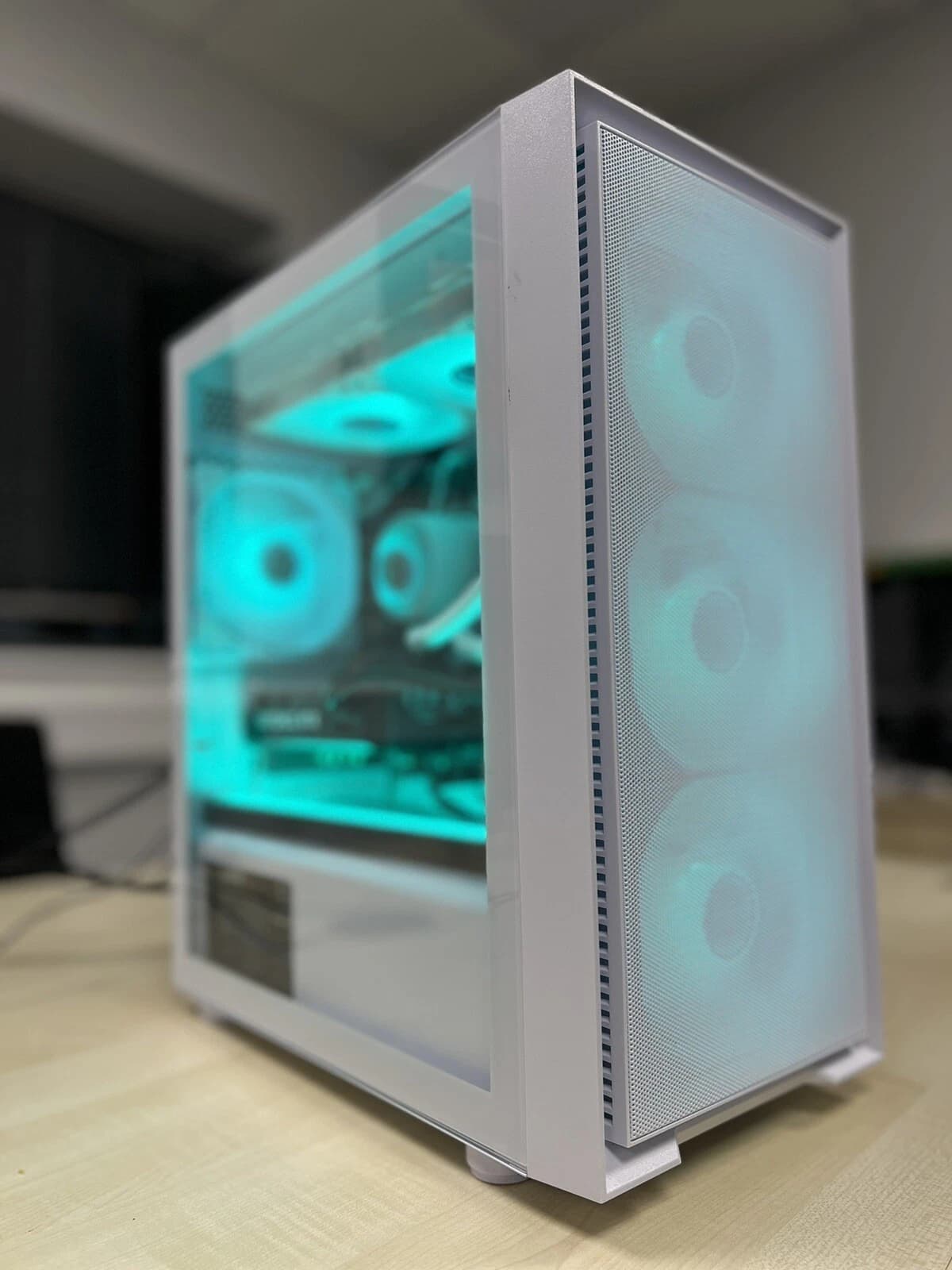
Most creator rigs get built twice. First round is a pure gaming box (GPU heavy, average CPU, tight cooling), then six months later the owner starts streaming or editing and hits a wall. The right move in 2026 is to spec the machine once, for both jobs, and pay the small premium up front. A dual purpose build costs roughly 10 to 15 percent more than a pure gamer, and saves you a full second upgrade cycle down the line.
Below is the exact recipe we ship as our liquid cooled RTX 5060 Ti creator gaming build, plus the reasoning behind each part.
Why one machine now beats two
The gap between "gaming GPU" and "creator GPU" has closed hard in the last two generations. NVENC on Ada and Blackwell cards is now good enough that streamers rarely bother with a second capture PC. DaVinci Resolve, Premiere and CapCut all lean on CUDA and NVENC for timeline playback, effects and export. That means a single RTX card, sized correctly, covers OBS, editing and 1440p gaming without compromise.
The old dual PC streaming setup made sense when x264 slow at 6000kbps was the quality bar. Modern NVENC HEVC and AV1 at similar bitrates now match or beat that, at roughly 3 percent GPU cost during a game. One box, one Windows install, one power draw.
The core spec, and why
Here is the platform we recommend for anyone doing streaming, light to mid video editing, and 1440p gaming on the same machine.
- CPU: Ryzen 7 7700X or Intel Core i7 14700 (8 to 20 cores depending on choice)
- GPU: RTX 5060 Ti 16GB
- RAM: 32GB DDR5 6000 CL30 (2x16GB)
- Storage: 2TB NVMe Gen4 for OS and games, 2TB NVMe Gen4 as scratch and project drive
- PSU: 750W 80 Plus Gold, fully modular
- Cooling: 240mm AIO liquid cooler
- Case: mesh front mid tower with front USB C
Prices as configured land between £1,349 and £1,499 depending on chassis and case fans, well under the £1,800 to £2,100 you would spend building a separate streaming box alongside a mid gaming PC.
The RTX 5060 Ti 16GB is the load bearing choice here. 16GB VRAM is what lets Resolve keep 4K timelines in GPU memory without spilling, and it stops OBS from choking when you run a heavier scene with browser sources, cameras and overlays. The 8GB variant of the same card saves around £60 and we do not recommend it for this use case.
NVENC and OBS: the streaming half
NVENC on Blackwell (the encoder block in the RTX 50 series) handles two simultaneous encodes without stutter. That means you can stream 1080p60 at 8Mbps to Twitch or YouTube using NVENC HEVC, while a second NVENC session records a local 1440p60 AV1 archive for VOD editing later. The GPU takes a 4 to 6 percent hit during a heavy game, which is inside the noise floor at these framerates.
Settings we ship on our streamer builds:
- OBS output: NVENC HEVC, CQP 20, P5 preset, 2 B frames, look ahead on
- Local record: NVENC AV1, CQP 18, separate file
- Audio: 320kbps AAC stereo, or 48kHz 24 bit WAV for editors
For a step by step Twitch specific setup, our Twitch OBS 1080p60 streaming PC guide walks through scene collection, bitrate and audio pipeline.
DaVinci Resolve and Premiere: the editing half
Resolve is unusually GPU hungry, which is exactly why we spec 16GB VRAM. On the 5060 Ti you can expect:
- 4K H.265 timeline playback at full resolution, real time, with basic grade and one or two OFX plugins
- Neural Engine features (Magic Mask, Speed Warp, Voice Isolation) running at usable speeds without offloading to CPU
- 4K H.265 export at roughly 1.5x to 2x real time using NVENC hardware encode
Premiere Pro is less GPU bound but benefits from the same VRAM headroom, particularly with Lumetri, Warp Stabiliser and multi camera timelines. CapCut and Filmora both use NVENC for export and see the same speed uplift.
The second NVMe drive matters here more than most buyers realise. Editing off the same drive that hosts Windows and Steam kills scrub performance the moment your project passes about 60GB. A dedicated 2TB Gen4 project drive holds a season of edits without the OS drive ever getting near capacity.
See the liquid cooled RTX 5060 Ti build on eBay
1440p gaming: what to expect
At 1440p high settings with DLSS 4 Quality where available, the 5060 Ti 16GB averages:
- Cyberpunk 2077 (no path tracing): 95 to 110fps
- Baldur's Gate 3: 120 to 140fps
- Warzone: 140 to 160fps
- Marvel Rivals: 130 to 150fps
- Flight Simulator 2024: 60 to 75fps
Frame Generation pushes most of those numbers 40 to 60 percent higher when latency budget allows. For competitive shooters we recommend leaving Frame Gen off and running DLSS Quality only.
At 1080p the same card sits comfortably in the 144fps to 240fps range for most esports titles, so if you have a fast 1080p panel today and plan to upgrade to 1440p later, the card scales with you.
Why liquid cooling on a 5060 Ti build
The 5060 Ti itself does not need an AIO (it is a 180W card). The AIO is there for the CPU, which is the noisier and hotter part in a mixed workload. Editing an H.265 timeline while OBS is running pushes the 7700X or 14700 close to sustained TDP for minutes at a time, and a 240mm AIO keeps both temperature and fan noise flat during long sessions. Air coolers can absolutely do this job, they just get audible under a mic when the workload extends past ten minutes.
Our AIOs ship with pump on the front rad, fans in push, and a fixed pump curve to keep coil whine and pump warble out of your OBS audio track.
Where to save, where not to save
Sensible saves:
- Case: any decent mesh front chassis at £70 to £90 is fine
- PSU: 750W Gold is enough, you do not need Platinum or 850W
- Motherboard: B650 or B760 is fine, you do not need X670 or Z790 for this class of build
Do not save on:
- VRAM: the 8GB card blocks your Resolve pipeline
- RAM speed: DDR5 6000 CL30 is the sweet spot on AM5, slower kits leave 5 to 10 percent on the table
- Second NVMe: editing off one drive is a false economy
FAQ
Is 32GB of RAM enough for streaming and editing at the same time?
Yes for 1080p and 1440p workflows, including OBS with browser sources, camera feeds and a chat overlay. If you routinely edit 6K or 8K raw or run heavy AI plugins in Resolve at the same time as streaming, step to 64GB. For the vast majority of creators, 32GB DDR5 6000 is the correct spec in 2026.
Do I need a capture card if I only stream from this PC?
No. Capture cards are for a second PC setup where the gaming rig sends video out to a dedicated streaming rig. With modern NVENC, a single PC handles both cleanly. You only need a capture card if you also want to stream from a console (PS5, Switch 2) through the same PC.
Will the 5060 Ti still be good in two years?
For 1440p gaming and 4K editing, yes. The 16GB VRAM buffer is what gives it legs. Games are trending toward 12GB minimum at 1440p high settings by 2027, and 16GB gives you a comfortable margin. If you plan to move to 4K gaming at high refresh, that is a 5080 or 5090 conversation, not a 5060 Ti one.
Can I use AMD instead of Nvidia for this build?
You can, and the Radeon RX 9070 XT is a strong gamer. For content creators we still recommend Nvidia in 2026 because Resolve, Premiere and OBS lean heavily on CUDA and NVENC. AMF has closed the gap on quality but tooling support across editing software is still not equal. If you only game, AMD is fine. If you edit or stream, Nvidia is the safer buy.
About Birmingham AV
We are a Bromsgrove, Worcestershire based specialist refurbisher. We have sold 87,000 items on eBay since 2017, hold 24,756 buyer feedbacks at 98.9 percent positive, and ship every build with a full twelve month warranty. Companies House 12383651, VAT GB 348755066. One of the highest volume refurbished PC operations on eBay UK, and the team behind every custom build shipped from our workshop.