Run local image generation (Flux.1) on a refurbished PC
Flux.1 Dev and Schnell run beautifully at home if the VRAM is right. Here is what to buy, what to expect, and where the RTX 5060, 5070 and 5070 Ti actually land.
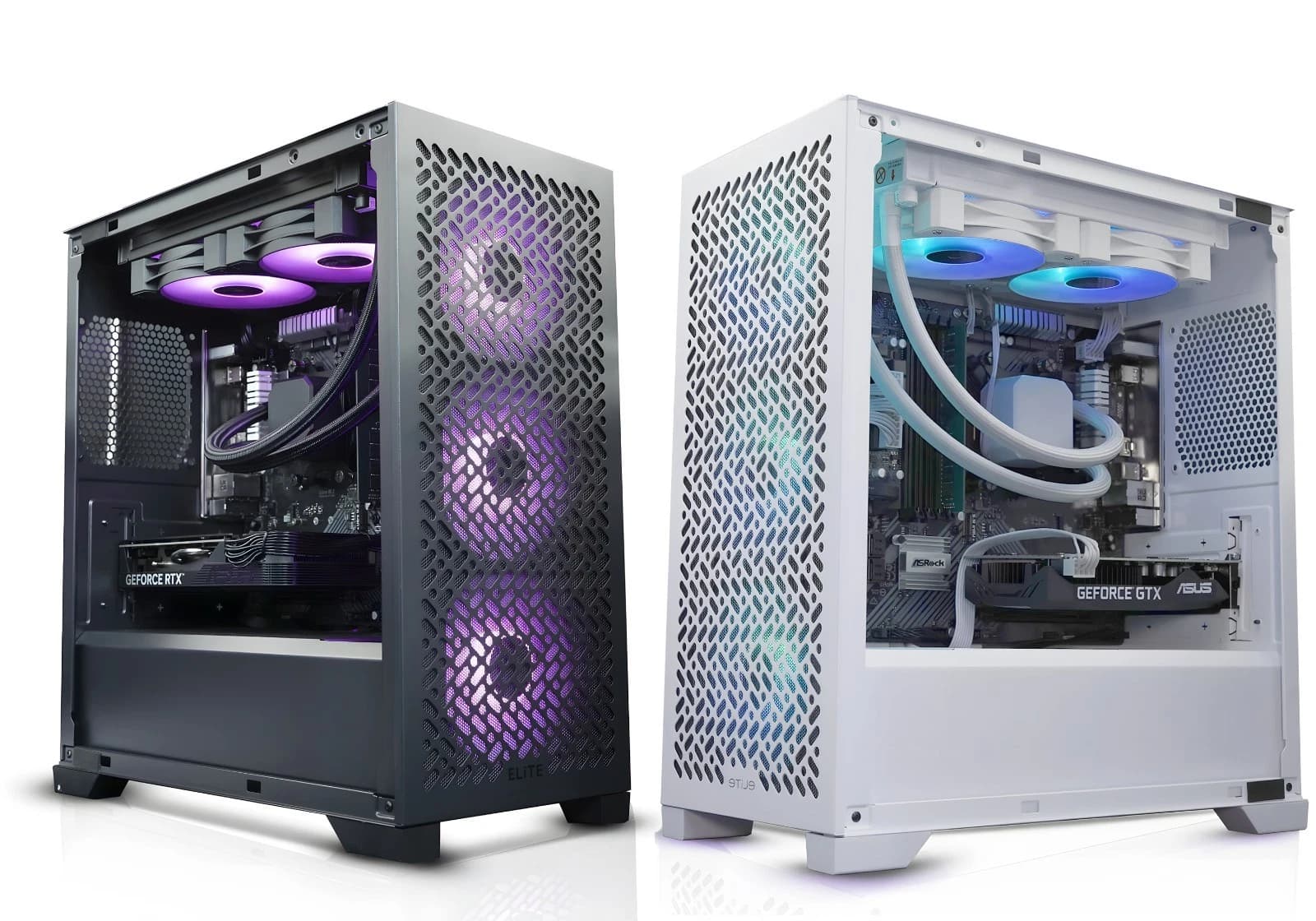
Flux.1 shifted the local image generation goalposts. Stable Diffusion XL was the last model most home users could run without thinking. Flux is heavier and more demanding. A well specified refurbished tower with a modern RTX 50 series card handles it comfortably, at a price point that makes cloud credits look silly by month three.
This piece covers the two Flux.1 variants, real VRAM usage, LoRA stacking, and generation times on the three cards most people ask about.
Flux.1 Dev and Schnell, what they are
Black Forest Labs released Flux.1 in three flavours. Pro sits behind their API. Dev is the twelve billion parameter open weight release that most enthusiasts run at home. Schnell is a distilled four step version of the same model, released under Apache 2.0, tuned for speed.
Dev produces the strongest results at 20 to 30 sampling steps. Schnell finishes in four steps, sometimes two, at a small but visible cost in prompt adherence. For portrait and product work, Dev is the default. For iterating prompts, batch previewing, or feeding a workflow that will upscale afterwards, Schnell earns its keep.
VRAM in practice, not on the box
The Flux.1 checkpoint weighs in at roughly 23GB in FP16. That is the number that scared everyone off at launch. In reality the community moved fast. GGUF quantisations from Q8 down to Q4, along with FP8 and NF4 variants, brought the working footprint right down.
Realistic VRAM usage for Flux.1 Dev at 1024 by 1024, with the T5 text encoder offloaded sensibly, lands roughly as follows:
- FP16 full precision: 22 to 24GB
- FP8 (e4m3fn): 12 to 14GB
- GGUF Q8: 12 to 13GB
- GGUF Q6_K: 9 to 10GB
- GGUF Q4_K_S: 7 to 8GB
- NF4: 6 to 7GB
Schnell runs slightly lighter because of fewer steps, but the checkpoint is the same weight class. The T5 XXL text encoder is another 9GB in FP16, or 4 to 5GB in FP8. Load it in FP8 unless you are chasing every last drop of prompt nuance.
LoRA loading, what it costs you
LoRAs are the reason people run Flux locally rather than paying per image. A style LoRA typically adds 100 to 300MB of VRAM once merged. Stacking three or four LoRAs (character, style, lighting, detail booster) adds around 1 to 1.5GB on top of the base model.
The sensible workflow on a 12GB card is a Q8 GGUF checkpoint, FP8 text encoder, up to three LoRAs. On a 16GB card, FP8 across the board with the same LoRA count leaves headroom for higher resolutions or ControlNet. Below 8GB is possible with NF4 and offloading, but times climb and flexibility drops.
Real generation speeds on RTX 50 series
Numbers below are for a single 1024 by 1024 image, Flux.1 Dev at 20 steps, Euler sampler, no upscaling. Windows 11, 32GB of DDR5, checkpoint on NVMe, ComfyUI as the frontend. Times are steady state after the first warm generation.
RTX 5060 8GB. NF4 or Q4 GGUF is the honest recommendation. A 1024 image lands in 22 to 28 seconds. Schnell at four steps drops to 6 to 8 seconds. Keep LoRA stacks to two.
RTX 5070 12GB. Q8 GGUF or FP8 sits nicely. 14 to 18 seconds for a 1024 Dev image, 3 to 4 seconds for Schnell. Three LoRAs stack cleanly. The value pick for anyone iterating quickly without needing 16GB.
RTX 5070 Ti 16GB. FP8 full fat, three or four LoRAs, 1024 Dev images in 10 to 13 seconds. Schnell finishes in around 2.5 seconds. Our recommended card for anyone taking Flux seriously.
The 5080 and 5090 are faster still, but the price jump is steep. For pure image work the 5070 Ti is the sweet spot.
The rest of the tower matters
VRAM does the heavy lifting, but a slow system starves the GPU. For a Flux workstation, specify a Ryzen 7 7800X3D or Intel Core i7 14700, 32GB of DDR5 6000 as the floor (64GB if you plan to run SDXL, Flux and an LLM on the same box), and a Gen 4 NVMe of at least 1TB. Loading from a SATA SSD adds 15 seconds per checkpoint swap.
A 750W 80 Plus Gold PSU covers the 5070 Ti with headroom. The 5060 and 5070 are happy on 650W.
Where we come in
Our custom AI ready gaming builds cover the range from RTX 5060 up to 5090, with Ryzen 9 and Intel Core Ultra options. Each build ships with Windows 11 activated, drivers current, and a twelve month warranty.
See the current AI ready build listing on eBay
Configurations vary across the listing, so check the specific variation for CPU, RAM, storage and GPU tier before ordering. For serious Flux work, the RTX 5070 Ti tier is the balanced pick, or the 5070 tier if budget is tight.
FAQ
Can I run Flux.1 Dev on 8GB of VRAM?
Yes, using NF4 or Q4 GGUF with the T5 encoder offloaded to system RAM. Expect 22 to 28 seconds per 1024 image on an RTX 5060. It works, but 12GB is a noticeably better experience.
Is Schnell good enough to skip Dev entirely?
For draft work and rapid iteration, yes. For final output where prompt adherence, hand and text rendering matter, Dev at 20 to 30 steps is stronger. Most workflows use both.
Do I need a Founders Edition card, or are AIB versions fine?
Any RTX 50 series card with the right VRAM runs Flux identically for generation. MSI, ASUS, Gigabyte and Palit all use the same silicon. Cooler quality affects noise, not the image.
Will an older RTX 3060 12GB still handle Flux?
It runs Flux.1 Dev at Q8 GGUF, but expect 45 to 60 seconds per 1024 image and no headroom for ControlNet. Workable if budget is very tight, but the RTX 5060 or 5070 is a far more sensible 2026 buy.
About Birmingham AV
We have sold over 87,000 items on eBay since 2017, with 24,756 buyer feedbacks at 98.9% positive. Every PC ships with a twelve month warranty and full pre dispatch testing. We are Companies House registered as Birmingham AV Ltd (12383651), VAT registered as GB 348755066, and based in Bromsgrove, Worcestershire. One of the highest volume refurbished PC operations on eBay UK, building custom AI ready towers alongside the wider refurbished catalogue.