Microsoft Surface Laptop 5 refurbished: worth £500 or worth avoiding?
The Surface Laptop 5 is a beautifully built machine with real weaknesses. Here is when a refurb makes sense and when it does not.
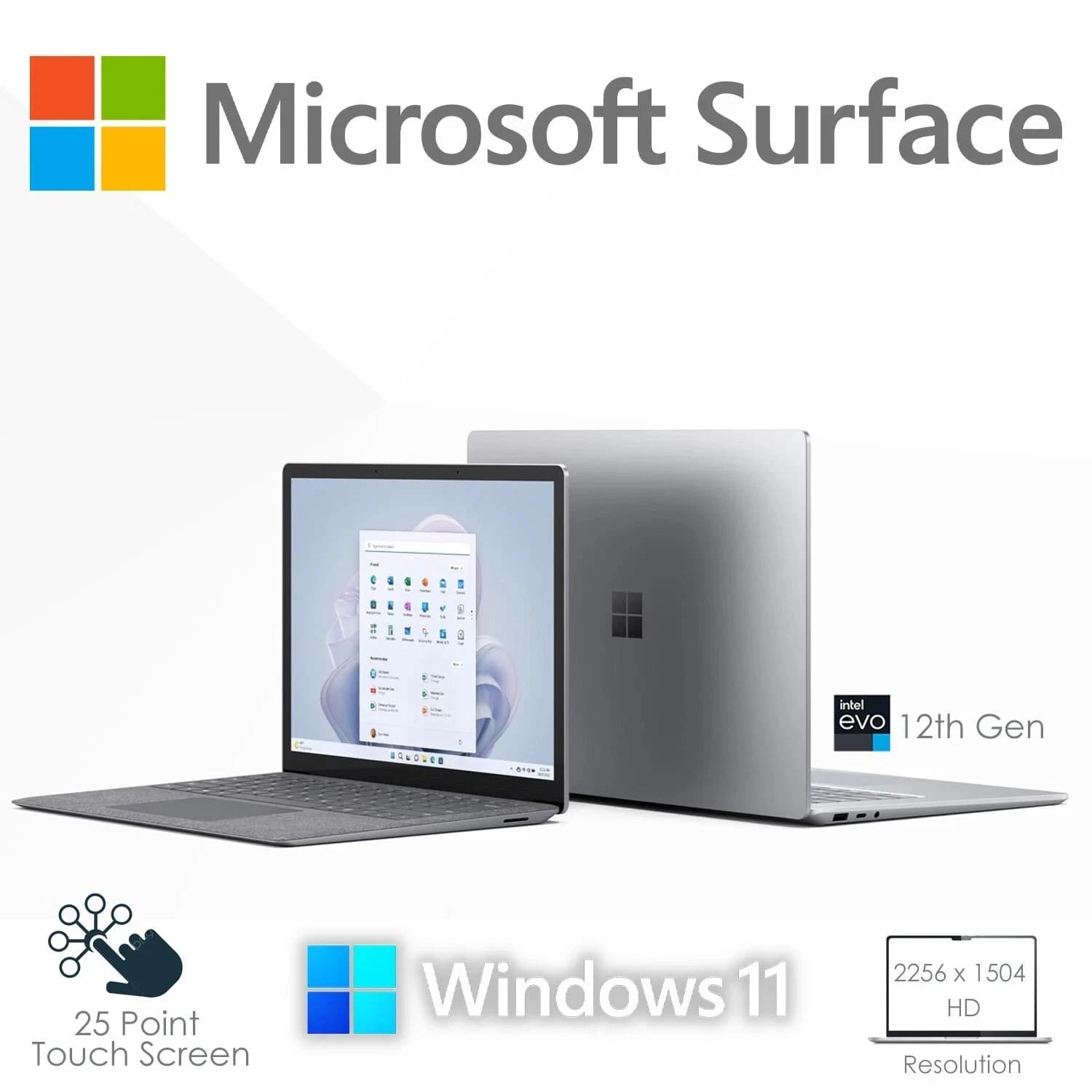
The Surface Laptop 5 sits in an awkward spot in 2026. It launched in October 2022 with 12th generation Intel silicon, so it is now three generations behind current mobile chips. But the chassis, the 3:2 PixelSense display, and the Alcantara keyboard deck still feel current, and refurbished prices have fallen into a bracket where the maths starts to look interesting. So is £500 the right number, or is this a machine that should be avoided even at that price?
This article walks through the build, the panel, the keyboard, the battery, and the well documented weaknesses, then explains where a refurbished Surface Laptop 5 genuinely beats a business machine like an HP EliteBook, and where it does not.
Build quality that still holds up in 2026
The Surface Laptop 5 uses a single piece of milled aluminium for the lid and base, with tolerances that were, and still are, class leading. There are no creaks in the palm rest, no flex in the lid, and the hinge holds any angle from fully closed to almost flat without wobble. The 13.5 inch version weighs 1.27 kg and the 15 inch is 1.56 kg, both of which land between an ultrabook and a Chromebook in the hand.
The Alcantara keyboard deck on the 13.5 inch Platinum model is the divisive detail. When it is clean it feels warm and premium under the wrists. When it is not, it looks like a used sofa. Refurbishers with any competence will assess Alcantara wear before listing, and a properly graded unit should show no discolouration around the trackpad edges. Platinum aluminium 15 inch decks and the black 13.5 inch models avoid the problem entirely.
The PixelSense display is still the reason to buy
The 3:2 aspect ratio, 201 pixels per inch on the 13.5 inch panel and 200 ppi on the 15 inch, and touch layer across the whole range remain excellent. Colour coverage is roughly 100% sRGB and around 75% DCI-P3, which is good enough for photo editing at a hobbyist level. Peak brightness sits near 380 to 400 nits, which is fine indoors but marginal in direct sunlight.
The 3:2 shape is the practical win. Compared to a 16:9 EliteBook screen of similar diagonal, you get roughly 18% more vertical pixels, which shows up as one or two extra rows of code, one more email in the inbox, or a taller Word page at 100% zoom. For anyone who reads and writes for a living, this alone can justify the platform.
Keyboard and trackpad: quiet, accurate, unremarkable
Key travel is around 1.3 mm, which is shallower than a ThinkPad or EliteBook but deeper than a MacBook Air. The layout is standard UK ISO with a full size right shift and a properly placed function row. There is no numpad on either the 13.5 or 15 inch model, which is a real limitation for accountants and spreadsheet heavy users.
The Precision trackpad is glass, roughly 105 by 70 mm on the 13.5 inch, and tracks accurately with no jitter. It is not as large as the MacBook Air trackpad but the click mechanism is more consistent across the surface. There is no haptic engine, so the click feels mechanical toward the top edge.
Battery life in the real world
Microsoft claimed up to 18 hours for the 13.5 inch and 17 hours for the 15 inch. Realistic figures on a three year old battery, at 60% brightness with a browser, Teams, and Office running, land between 6 and 9 hours depending on workload. A refurbisher who has replaced the battery, or one who lists battery health as part of the grading, changes the picture completely. Ask before buying.
The 65 W USB-C charger will top the battery from empty to 80% in about 55 minutes. Fast charging works from any USB-C PD source rated 45 W or higher, which means one charger can cover the laptop, a phone, and a tablet on the road.
Buy the tested unit on eBayThe known issues you need to price in
Three things count against the Surface Laptop 5 and none of them are secrets.
The SSD is technically removable, but only via a proprietary door that Microsoft does not officially support end users opening. Practically, treat the storage as fixed. Buy the capacity you need up front. Listings on eBay typically span 256 GB, 512 GB, and 1 TB variants across both the 13.5 and 15 inch sizes, with 8 GB, 16 GB, and 32 GB RAM options depending on the SKU. The 8 GB configuration will feel tight in 2026 for anyone running Teams and a browser at the same time. 16 GB is the sensible floor.
The 720p webcam is soft and the sensor struggles in low light. It has no Windows Hello IR on the base SKU, though higher trims do include the IR array for face unlock. Check the listing carefully if biometric login matters to you.
Connectivity is thin. One USB-C (with Thunderbolt 4 on Intel models), one USB-A 3.1, a Surface Connect port, and a 3.5 mm jack. There is no HDMI, no SD card slot, and no Ethernet. A £25 hub solves this but it is an ongoing tax on the design.
Repairability: better than it looks, worse than a ThinkPad
iFixit rated the Surface Laptop 5 a 5 out of 10, up from the 0 out of 10 they gave the original Surface Laptop. The keyboard is now removable without destroying the chassis, the battery is glued but accessible, and the SSD, as noted, is technically swappable behind the proprietary cover. That is a huge improvement, but it still trails a Lenovo ThinkPad T14 or an HP EliteBook 840, both of which are designed for field service.
For a refurbisher, this means the Surface Laptop 5 is more expensive to bring back to spec than an equivalent business laptop. That cost is baked into the price you pay. Expect a properly refurbished unit to sit £50 to £100 above a comparable EliteBook of the same generation.
When it beats an EliteBook, and when it does not
The Surface Laptop 5 wins on weight, screen, and aesthetic. If the machine is going to be carried between meetings, opened in cafes, or used in front of clients, it looks and feels like a premium object in a way an EliteBook does not. The 3:2 display is a genuine productivity advantage for reading and writing.
The EliteBook wins on ports, on repairability, on keyboard travel, and on long term serviceability. If the machine is going to sit on a desk with a dock, or if it needs to survive three years of daily commuting in a rucksack full of chargers and paperwork, an EliteBook 840 G9 or G10 is the more rational buy.
For a home office user who values the screen and the build, and who has a USB-C dock already, the Surface Laptop 5 is the better choice. For a mobile field worker who needs Ethernet, an SD reader, and easy battery swaps, it is not.
Refurb pricing in July 2026
New old stock Surface Laptop 5 units still exist on the channel at around £750 to £900 depending on spec. Refurbished pricing on eBay UK currently spans roughly £380 to £650, with the sweet spot for a 13.5 inch i5, 16 GB, 512 GB unit landing around £480 to £550. The 15 inch i7 with 16 GB and 512 GB tends to sit £80 to £120 above that.
At £500 for a properly graded 16 GB, 512 GB machine with a warranty, this is a defensible buy. Below £400, expect the 8 GB configuration and a used battery. Above £650, look at a Surface Laptop 6 or a newer EliteBook instead.
Frequently asked questions
Can I upgrade the RAM on a Surface Laptop 5?
No. RAM is soldered to the motherboard on every Surface Laptop 5 configuration. Whatever capacity the unit ships with is the capacity you keep for life. This is why the 8 GB SKU is a poor long term buy in 2026 and 16 GB is the practical minimum.
Does the Surface Laptop 5 support Windows 11?
Yes. Every Surface Laptop 5 configuration meets the Windows 11 hardware requirements including TPM 2.0, Secure Boot, and the CPU compatibility list. It is also on the current Windows 11 upgrade path and will continue to receive feature updates.
How long will Microsoft support the Surface Laptop 5 with firmware updates?
Microsoft publishes a support lifecycle for each Surface device. The Surface Laptop 5 is currently listed with driver and firmware support through at least October 2027, five years from launch. Windows security updates continue separately as long as the OS itself is supported.
Is the Alcantara keyboard deck a problem on a refurbished unit?
It can be. Alcantara stains and darkens with use, particularly around the trackpad and the space bar. A reputable refurbisher will grade the deck and either clean it or replace the whole top case. If buying blind, prefer the metal Platinum or black aluminium decks, which do not have this issue.
Can I use the Surface Laptop 5 for light gaming?
Only for older or less demanding titles. The Iris Xe integrated graphics will run titles like Rocket League at 1080p medium at 55 to 70 fps, and CS2 at 1080p low at 60 to 80 fps. Anything newer or more demanding will not be playable at native resolution. For real gaming, this is the wrong machine.
About Birmingham AV
Birmingham AV Ltd is one of the highest volume refurbished PC operations on eBay UK, with 87,000 items sold since 2017 and 24,756 buyer feedbacks at a 98.9% positive rating. Every unit we ship carries a one year warranty. We are Companies House registered as 12383651, VAT registered GB 348755066, and based in Bromsgrove, Worcestershire. Our refurbishment process covers full component testing, battery health grading, cosmetic assessment, and a clean Windows 11 install before any machine leaves the workshop.