Dell OptiPlex Micro buyer guide: the office workhorse decoded
A specialist walkthrough of the Dell OptiPlex 3070, 5070, 7070, 3080 and 7080 Micro, covering chassis, chip generations and real refurbished pricing.
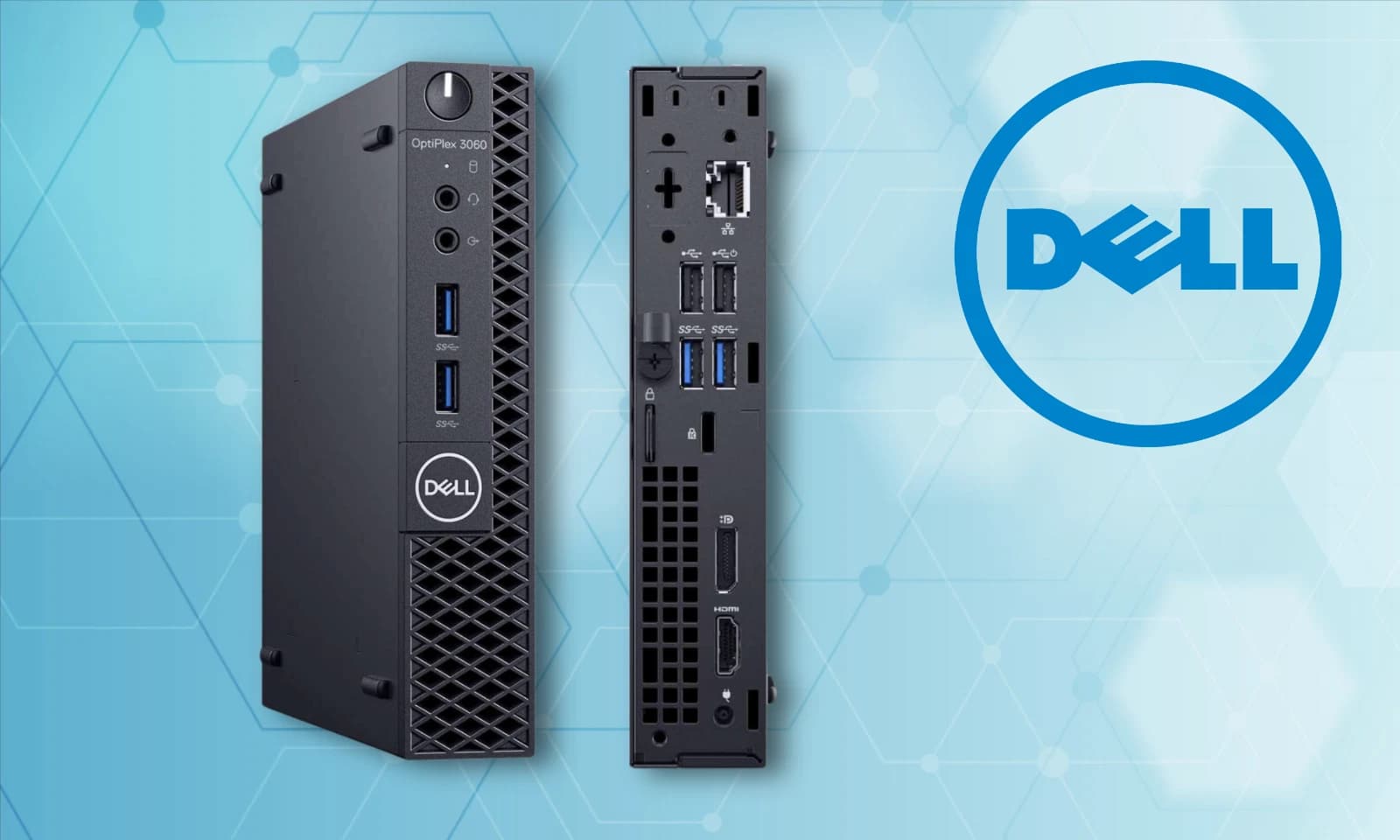
The Dell OptiPlex Micro is the quiet backbone of British office IT. Reception desks, finance offices, GP surgeries, school labs. If a business bought Dell desktops between 2019 and 2021, it was almost certainly one of these. Five years later the refurbished market has priced them for sole traders and home offices.
This guide covers the 3070, 5070, 7070, 3080 and 7080 Micro: what differs, how the chassis works, and where each earns its place on a desk.
The chassis: 1.2 litres, and why that matters
The Micro chassis is the smallest desktop Dell makes. Roughly 178 by 178 by 36 mm, weight around 1.2 kg, volume close to 1.2 litres. Smaller than a hardback book stood on end.
Two things follow. First, the unit VESA mounts behind almost any monitor using a 100 by 100 mm bracket. Dell sell an official mount, aftermarket ones cost around £15, and either way the desk ends up with a monitor and a keyboard and nothing else. Second, it fits into cabinets and under counters where a tower will not go.
The trade off is expansion. One M.2 slot, one 2.5 inch bay, two SODIMM slots, no discrete GPU. The CPU is a 35 W T series part. For office work this is invisible. For anything involving a GPU, this is the wrong chassis.
Chip generations: 9th and 10th gen decoded
The number in the model name maps to the Intel generation, and the tier maps to the chip class.
- 3070 Micro: 9th gen, i3 9100T or i5 9500T. Six cores, six threads, turbo to 3.7 GHz.
- 5070 Micro: 9th gen, i5 9500T or i7 9700T. The i7 adds two cores for eight.
- 7070 Micro: 9th gen, i5 9500T or i7 9700T, sometimes with vPro and dual M.2.
- 3080 Micro: 10th gen Comet Lake, i3 10100T or i5 10500T. Twelve threads on the i5, the meaningful jump from 9th gen.
- 7080 Micro: 10th gen, i5 10500T or i7 10700T. The i7 10700T is eight cores, sixteen threads, still inside 35 W.
The useful gap sits between the 3070 and 3080, because hyper threading returns on the i5 at 10th gen. Between the 5070 and 7070 the difference is mostly features. Between the 7070 and 7080 the difference is one generation and roughly 10 per cent single core.
All run Windows 11 (workaround on 9th gen, native on 10th gen), and all handle Office, Teams, Chrome, Sage, Xero and any browser based line of business app.
BAV pricing versus the eBay average
Sold listings from the last ninety days, i5 configurations with 8 or 16 GB RAM and a 256 GB SSD, twelve month warranty where stated.
- 3070 Micro i5: eBay average around £165. Birmingham AV around £129.
- 5070 Micro i5: eBay average around £185. Birmingham AV around £149.
- 7070 Micro i5: eBay average around £199. Birmingham AV around £165.
- 3080 Micro i5: eBay average around £215. Birmingham AV around £179.
- 7080 Micro i5: eBay average around £249. Birmingham AV around £209.
Volume through the workshop keeps the fixed cost per unit lower. RAM and storage vary, so a 16 GB 512 GB unit sits above these figures and an 8 GB 256 GB unit below.
Buy the tested unit on eBayWhere each model earns its place
The 3070 Micro is the accounts desk pick. A bookkeeper running Sage, a browser, Excel and Outlook needs a machine that starts in eight seconds and stays out of the way. At £129 with a warranty it costs less than a decent office chair.
The 5070 and 7070 Micro suit reception, front of house and hot desks. The chassis disappears behind the monitor and the i5 9500T handles the workload for the next four years. The 7070 with vPro adds remote management.
The 3080 Micro is the sweet spot for a home office in 2026. Native Windows 11 support, twelve threads, and headroom for the odd Photoshop job or Zoom call.
The 7080 Micro edges into dev workstation territory. The i7 10700T with 32 GB of SODIMM RAM will run Docker Desktop, VS Code with a Node stack, a local database and a browser. Silent on a shelf, doing work a mini PC cannot.
What to check before buying any Micro
Three things matter and are easy to miss on a listing. First, RAM is SODIMM, not standard desktop DIMM. Upgrading to 32 GB means two 16 GB SODIMMs.
Second, the M.2 slot is 2280 NVMe on the 7070 and 7080, and 2280 SATA on some earlier 3070 units. Check before assuming NVMe throughput.
Third, the 65 W power brick is small and easy to lose. A replacement Dell brick is £25. Birmingham AV ship with the original brick as standard, which sounds obvious until the third eBay purchase arrives with a generic laptop charger and the wrong barrel size.
The tested unit and why it is the pick
The Birmingham AV OptiPlex 3070 Micro at £129 is the entry point without compromise. It ships with the original Dell 65 W brick, a genuine Windows licence, a clean install, and twelve months of return to base warranty. RAM and storage vary by listing, so read the specification on the linked unit rather than assuming the base configuration.
For anyone who wants a small, silent, professional desktop that will run for another five years, this is the honest answer.
FAQ
Will the OptiPlex Micro VESA mount behind my monitor?
Yes. The chassis has 100 by 100 mm VESA mount points and Dell sell an official bracket. Any monitor with a standard 100 by 100 mm rear mount will accept it. Aftermarket brackets cost around £15.
Can I run Windows 11 on a 3070 Micro?
Yes, with the standard registry workaround for the CPU compatibility check. The unit meets the RAM, storage, TPM 2.0 and Secure Boot requirements. The 3080 and 7080 Micro meet the official CPU list and install cleanly.
How much RAM can I fit in a 7080 Micro?
Officially 32 GB across two SODIMM slots. The platform accepts two 16 GB DDR4 SODIMMs at 2666 or 2933 MHz. Some users report 64 GB with two 32 GB SODIMMs, but this is outside the Dell specification.
Is the OptiPlex Micro quiet enough for a bedroom office?
Yes. Idle noise sits around 22 dBA at one metre. Under sustained CPU load the fan ramps to roughly 32 dBA, quieter than most external drives.
What is the warranty when buying refurbished?
Birmingham AV ship every Micro with a twelve month return to base warranty covering hardware faults, which sits above the ninety day cover many private sellers offer.
About Birmingham AV
We are Birmingham AV, and we have sold over 87,000 items on eBay since 2017. Our feedback stands at 24,756 buyer feedbacks with a 98.9 per cent positive rating, and every desktop and laptop we ship carries a twelve month return to base warranty. We are one of the highest volume refurbished PC operations on eBay UK, registered at Companies House as company number 12383651, VAT registration GB 348755066, trading from Bromsgrove, Worcestershire.