Best PC for running local LLMs under 1000 pounds in 2026
A practical spec guide for running Llama 3.3 8B, Mistral Small 3 and DeepSeek R1 distilled models on your own machine, without punting the budget past four figures.
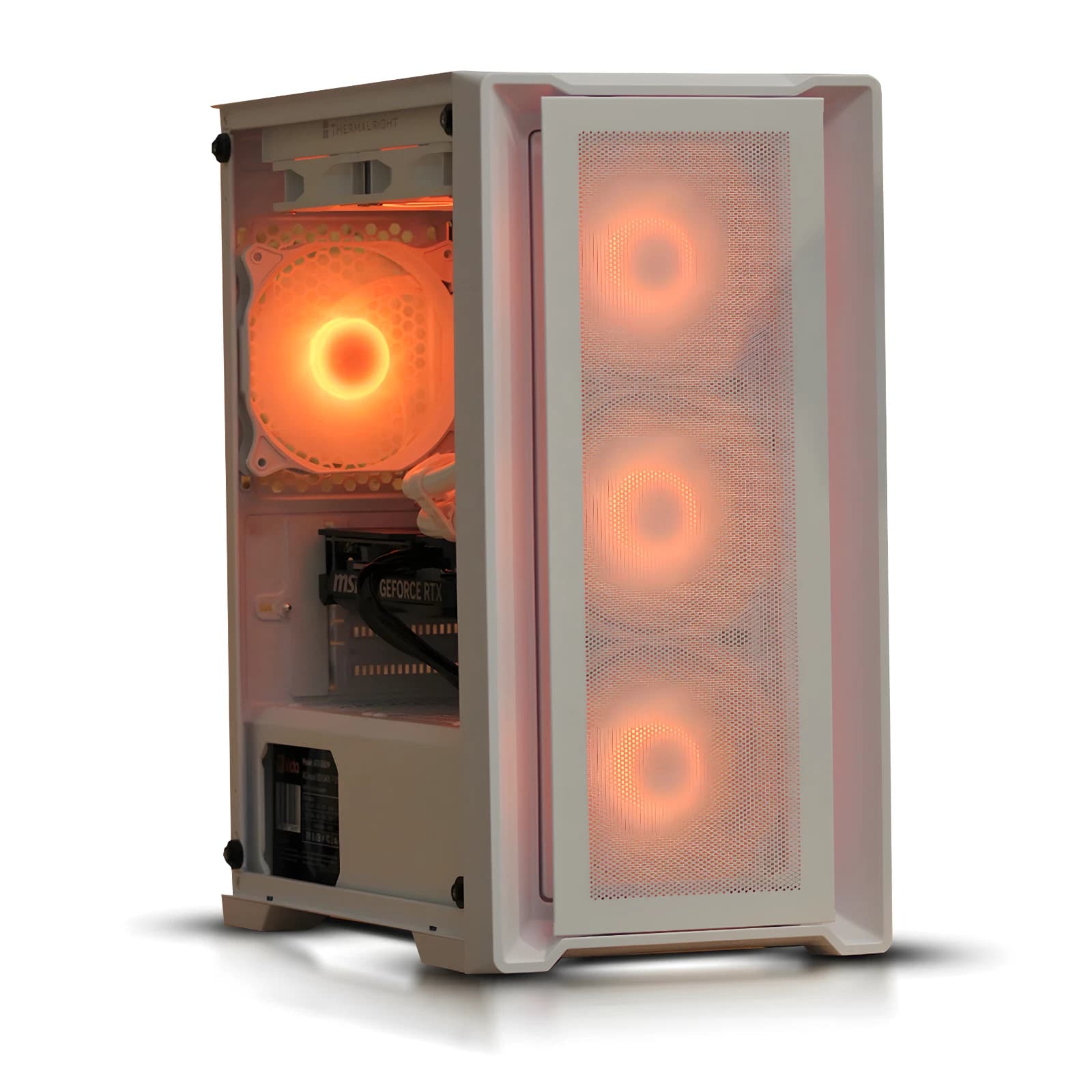
Local inference has stopped being a hobby project. In 2026, an 8B parameter model quantised to 4 bit will happily answer email, summarise PDFs and refactor Python on a single consumer GPU under your desk. No API bill, no rate limit, no data leaving the room. The question buyers keep asking Birmingham AV: what runs this stuff for under a grand.
What "runs a local LLM well" actually means
Three models cover almost every practical use case at this tier. Llama 3.3 8B Instruct is the general workhorse. Mistral Small 3 (24B) is the reasoning and coding upgrade if you can fit it. DeepSeek R1 distilled into a Qwen 7B or Llama 8B backbone gives a step change on maths and structured problem solving, still inside 8 to 10 GB of VRAM at 4 bit.
The rule of thumb is roughly 1.2 GB of VRAM per billion parameters at Q4_K_M, plus 2 GB of headroom for context and KV cache. An 8B model wants 10 to 12 GB. A 24B model wants 16 GB minimum. A 70B model is out of scope in full precision.
Below 15 tokens per second, chat feels laggy. Above 30, it feels instant. All three cards below clear 30 on an 8B model at Q4.
RTX 3060 12GB: the entry point
The RTX 3060 12GB is the cheapest card that respects the 12 GB VRAM floor. Used pricing in mid 2026 sits around 170 to 210 pounds. It runs Llama 3.3 8B at Q4_K_M at 35 to 45 tokens per second through llama.cpp with CUDA, and it will load Mistral Small 3 at Q3 with a tight context window.
Its weakness is memory bandwidth. At 360 GB per second it is the slowest of the three, and longer contexts (16k tokens and up) drop throughput. For chat, coding assistance and RAG over your own notes, it is genuinely fine. Pick this card if the total build has to sit at 700 pounds or below.
RTX 4060 Ti 16GB: the sensible middle
The 16 GB variant of the 4060 Ti is the card most buyers should actually choose. Used pricing in 2026 lands around 320 to 370 pounds, new around 400. That extra 4 GB of VRAM is the difference between running Mistral Small 3 at a usable quant and constantly swapping models.
Bandwidth is a wart (288 GB per second on a 128 bit bus), but Ada tensor cores and FP8 close the practical gap. Llama 3.3 8B Q4 hits 40 to 55 tokens per second. Mistral Small 3 Q4 at 8k context, 18 to 24, workable. Power draw is 165 W.
See the current 1000 pound BAV local LLM build on eBay
Used RTX 3090 24GB: the power move
A used RTX 3090 with 24 GB of GDDR6X is the interesting option, and the one that changes what is possible. UK second hand prices in 2026 sit between 550 and 700 pounds depending on cooler, PCB revision and warranty.
Memory bandwidth is 936 GB per second, more than triple the 4060 Ti. Llama 3.3 70B at Q3_K_S loads and runs at 6 to 9 tokens per second, usable for batch summarisation. Mistral Small 3 flies at 45 tokens plus. The catch: 350 W draw, hot, and a used card is a used card. If a seller cannot show a stress test, walk away.
RAM, CPU and storage: don't cheap out
32 GB of DDR4 or DDR5 is the floor. 16 GB works only if you never load a model into system RAM as a fallback. DDR4 3600 CL16 on AM4 or LGA1700, DDR5 6000 CL30 on AM5 or LGA1851. Dual channel is not optional.
For CPU, six cores is the minimum and eight is comfortable. Ryzen 5 5600, Ryzen 7 5700X, Core i5 12400F or Core i5 13400F all clear the bar. Storage: one NVMe drive of at least 1 TB, PCIe 4.0 preferred.
The Birmingham AV recommended build
The build we currently ship most at this price pairs the new RTX 5060 Ti 16GB with a Ryzen 7 5700X, 32 GB DDR4 3600, a 1 TB Gen4 NVMe and a 650 W 80 Plus Gold PSU in an airflow chassis. It runs Mistral Small 3 at Q4 comfortably, Llama 3.3 8B at 55 to 65 tokens per second, and any DeepSeek R1 distilled 7B or 8B release at instant speed. Where a customer wants maximum VRAM for the money, we swap to a tested used 3090 build. Both sit inside the 1000 pound ceiling with warranty, PAT test and a clean Windows 11 image with LM Studio, Ollama and llama.cpp preinstalled.
Frequently asked questions
Can I run Llama 3.3 70B on a 1000 pound machine
Yes, with caveats. On a used 3090 you can load it at Q3 or Q4 quant and get 6 to 10 tokens per second. That is slower than chat feels natural, but fine for summarising long documents overnight. On any 8 to 16 GB card it will spill into system RAM and drop to 1 to 3 tokens per second.
Do I need an NVIDIA card, or will AMD work
NVIDIA is still the path of least resistance in 2026. AMD RDNA 3 and RDNA 4 cards work through ROCm and Vulkan backends in llama.cpp, and the RX 7800 XT with 16 GB is priced attractively. Expect more setup friction and the odd broken model quant.
Is 16 GB of system RAM really not enough
If you only ever run 7B and 8B models fully on the GPU, 16 GB is technically survivable. In practice, you will want to hold a model in system RAM while you swap another onto the GPU, run a vector database for RAG, and keep a browser open. 32 GB is the honest floor.
How much does electricity cost to run this at home
At UK 2026 rates of roughly 27 pence per kWh, a build pulling 250 W under sustained inference costs about 6.75 pence per hour. An 8 hour working day of heavy use is around 54 pence. Idle draw of 50 to 70 W adds 3 to 4 pounds a week if left on constantly.
About Birmingham AV
We have sold over 87,000 items on eBay since 2017, hold 24,756 buyer feedbacks at 98.9% positive, and back every machine with a twelve month warranty. Birmingham AV Ltd is registered at Companies House (12383651), VAT registered (GB 348755066) and based in Bromsgrove, Worcestershire. We are one of the highest volume refurbished PC operations on eBay UK, and every build ships PAT tested with a clean Windows install.